AI Configuration
By configuring one (or more) chatbots, you enable artificial intelligence to assist your agents in drafting text during ticket creation and email processing.
In todo4teams, you can save multiple AI configurations for this purpose.
This offers the advantage of allowing you to assign customized chatbot configurations to your teams, each featuring distinct system prompts and unique foundational knowledge.
As an administrator, you can find the AI configurations in the main menu under the "AI" section:
Here, you will see a list of your configured chatbots:
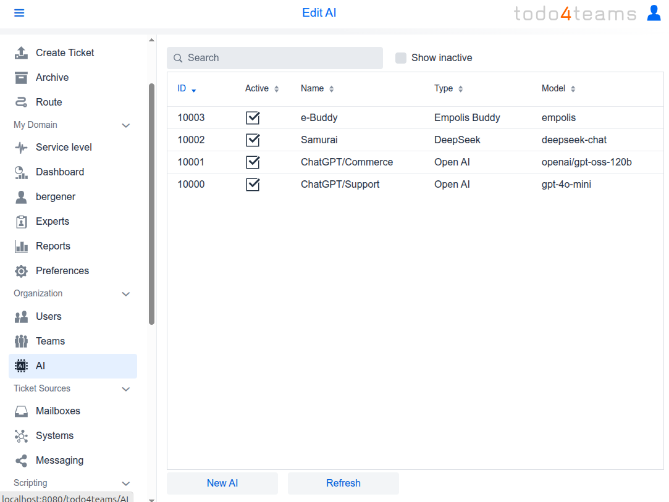
Click "New AI" at the bottom to create a new chatbot configuration or select an existing configuration to review and modify its settings.
Assigning AI to Teams
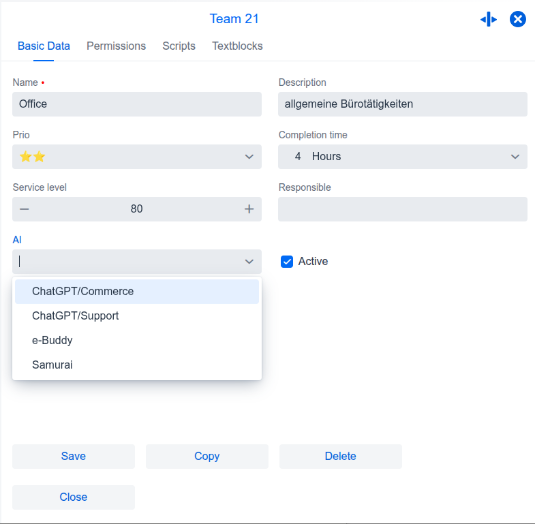
Once you have configured one or more AI instances, you must specify within todo4teams which AI should be made available to which teams. To do this, please open the "Teams" section, select a team, and choose the desired AI configuration from the "AI" selection menu:
Default AI
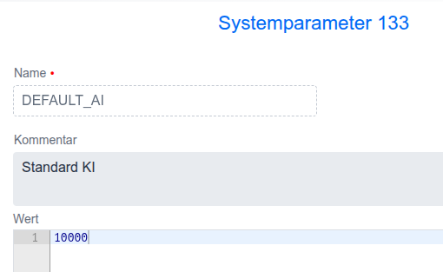
To assign an AI to teams where you have not configured this setting—as well as to personally addressed tickets—please create a system parameter named DEFAULT_AI and enter the ID of the desired AI configuration as its value: